Canceling your Subscription
Edited
The advantage of Indee’s project-based pricing is the ability to switch project subscriptions on and off as and when required. You never have to pay for a project that isn’t in use while still retaining the video content, metadata, and screener info.
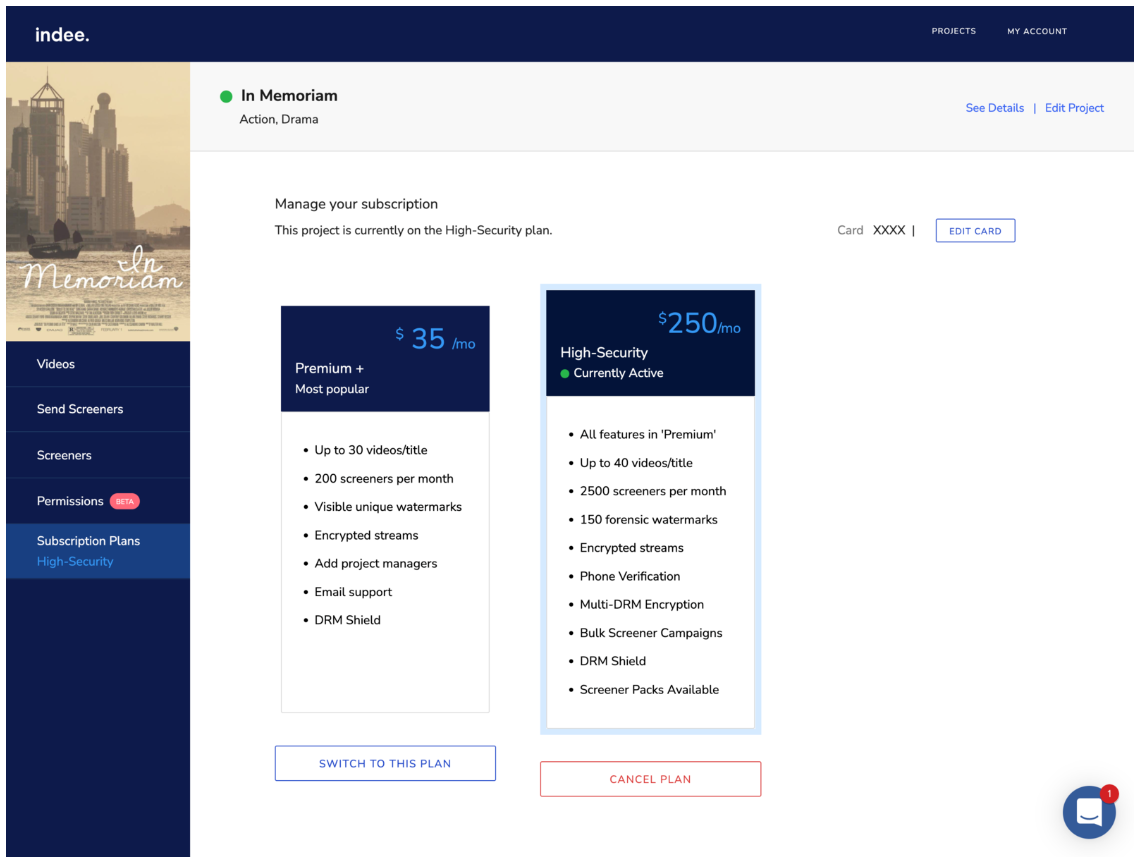
To cancel your subscription:
• Go to the Subscription Plans page within your project
• Select the Cancel Plan button below the highlighted tile
• Confirm your cancellation on the alert that pops up
Note: The cancelled project subscription remains active till the end of the current billing cycle.
Cancel
subscription
plans
Was this article helpful?
Sorry about that! Care to tell us more?