How Group Access Works
Groups are an easy way to organize users who have the same level of access within your account.
Users need to have the same level of access as the group they intend to join, and only Root Accounts, Global Admins, and Authorized Admins can create, delete, and add or remove users from groups.
Viewing Existing Groups
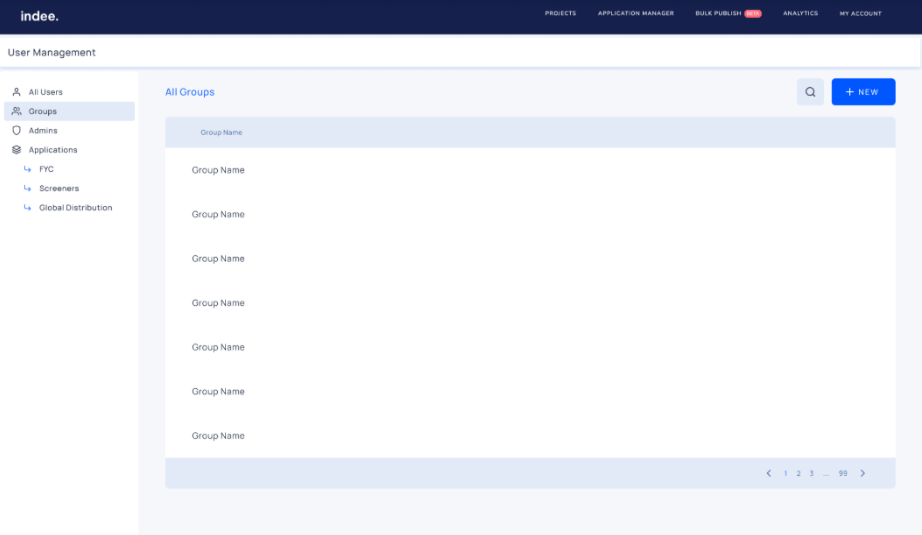
Click My Account, click Permissions to open the Permissions dashboard, and then click Groups.
Note: Not all users can access the Permissions dashboard, and each dashboard will vary based on your role.
Creating a Group
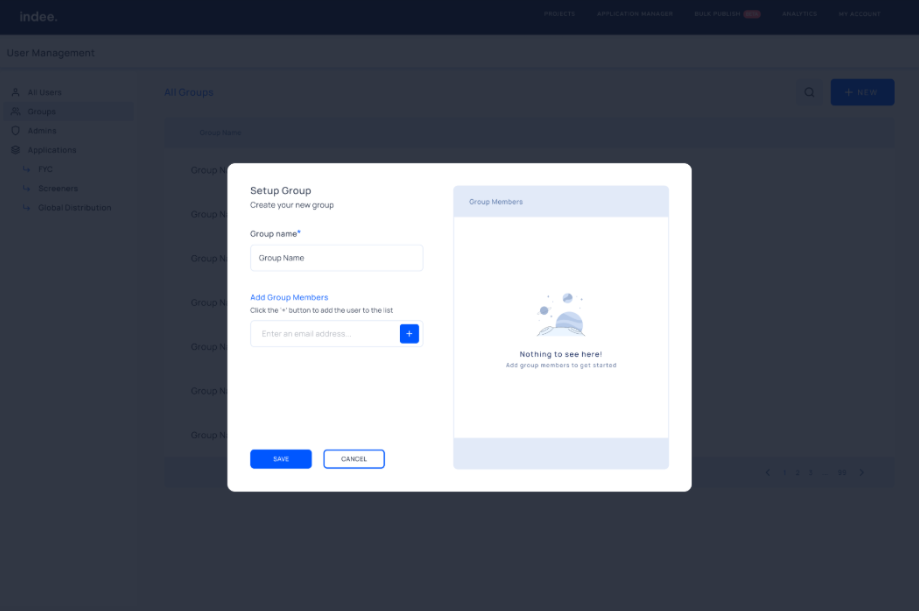
Click the + New button
Enter the name of the group you want to create and click Add
Enter the email addresses of the members of this group to add them, and click the + button
Click Save when you have finished adding members to the group
Deleting a Group
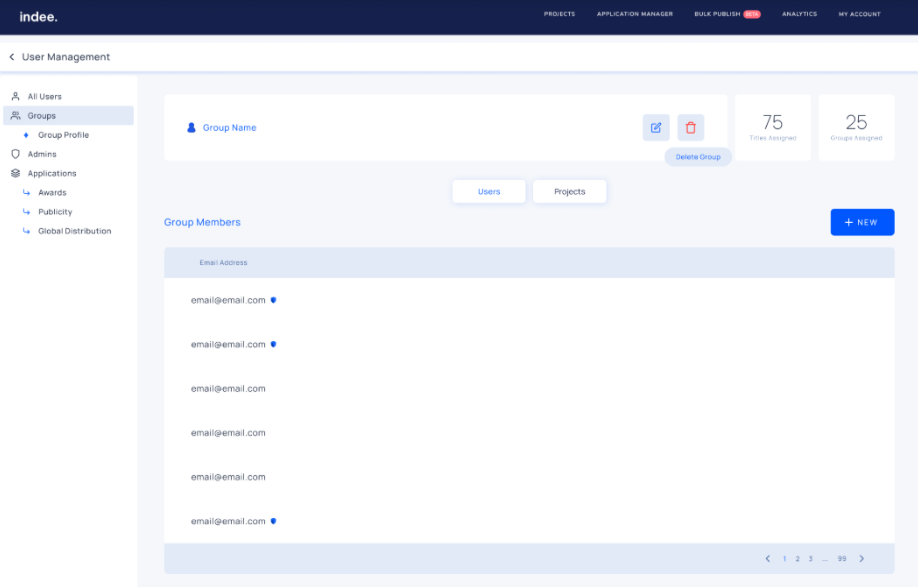
Hover over the group you want to delete and click the “Group Profile” button
Once you are in the group profile, click the “Delete Group” button
Click Yes
An Overview of Permissions on Indee
How to View, Add, and Remove Users From Your Account
How to View, Add, and Remove a User From an Application
How to View, Add, and Remove Users or Groups From a Project